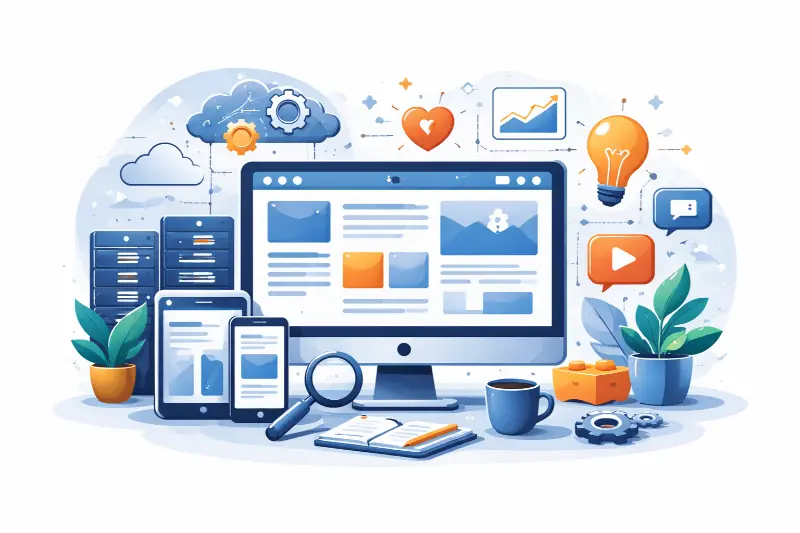
A headless CMS is a content management system that separates content storage and editorial tools from presentation. Content lives in a central system and is delivered via APIs to websites, apps, kiosks, or any other channel. This guide explains what that means, when it helps, and how to evaluate and implement headless content management in a performance-first, practical way.
What A Headless Content Management System Is And How It Differs From A Traditional CMS
A traditional CMS couples content, templates, and rendering in one system. Editors update content and the CMS also decides how pages look. A headless CMS removes the presentation layer. It focuses on storing, modeling, and serving content. Front ends consume content over APIs and render it independently.
Key differences at a glance:
Separation. Headless separates content from the display. Traditional CMS keeps them together.
Delivery. Headless serves content via APIs for any channel. Traditional CMS renders HTML for a website.
Flexibility. Headless lets engineering choose frameworks and delivery patterns. Traditional CMS limits choices to built-in templates and themes.
Editor experience. Traditional CMS often has page builders and in-context editing. Headless needs explicit preview and editor tooling to match that experience.
Common assumptions and failure points.
Assumption. Headless automatically improves speed. Reality. Benefits require good architecture, caching, and CI/CD pipelines.
Assumption. Developers prefer headless. Reality. Teams without editorial preview or governance often stall.
Failure mode. Most headless projects fail at the content layer. Poor models, missing taxonomies, and no preview cause rework and slower deployments.
Why Headless Architecture Matters For Multi Channel Content Delivery
Headless matters when you need to publish the same content across multiple surfaces. Examples include a public website, mobile apps, in-product help, voice interfaces, and partner portals.
What headless helps with:
Reuse content across channels without copying. Create once, deliver anywhere.
Independent front-end delivery. Teams can ship web, mobile, and other experiences in parallel.
Faster frontend innovation. Swap frameworks or add edge rendering without migrating content.
Centralized governance. One source of truth for content, permissions, and localization.
When headless is helpful.
You publish to three or more channels.
You need rapid front-end changes without editorial risk.
You must scale content operations across teams and regions.
When headless is often overkill.
Single static brochure site with minimal updates.
Small teams that prefer built-in page building and visual templates.
Projects that cannot staff the preview and integration work.
Core Components. Content Model, API Layer, Database, And Presentation Layer
headless CMS implementation typically has four core components.
Content model. The structured definition of your content types, fields, validations, and relationships. Good content models reduce duplication and make reuse predictable. Example types: Article, Product, Author, Landing Page, Promo Block.
API layer. The HTTP interface developers use to read and write content. Common API styles are REST and GraphQL. Contracts should be stable and documented. Example endpoint contract:
GET /content/articles/{id}
Response fields: id, title, slug, publishDate, body, author {id, name, bio}
Database and assets. Where content, media, and metadata are stored. The CMS may manage a relational store, document store, or object storage for media. Most workflows also use a CDN for fast delivery of media assets.
Presentation layer. The front end that renders the content. This can be a static site generator, server-side rendered app, native mobile app, or edge-rendered component. The front end consumes APIs and applies templates, personalization, and layout.
Operational pieces to plan for.
Preview API or staging environment for content authors.
Webhooks to trigger builds, cache purges, and downstream syncs.
Authentication and fine grained roles for editorial workflows.
Image transformation and responsive media delivery.
Decoupled Versus Headless. What The Terms Mean And When Each Fits
Decoupled means the CMS provides content APIs while also offering a rendering layer that can be used when needed. Headless means the CMS focuses solely on content and APIs, without a built-in rendering engine.
When to choose decoupled.
You want API benefits but also need built-in preview and template rendering.
Marketing needs visual templates and faster self-serve publishing.
You prefer lower integration effort for the first site migration.
When to choose headless.
You need total freedom for the front end across multiple channels.
Engineering needs modern frameworks or edge rendering not supported by the CMS.
You plan to scale content across apps, devices, and partner integrations.
Trade-offs.
Decoupled gives faster time to market and editor-friendly tools. You trade off some frontend flexibility.
Pure headless maximizes flexibility. You trade off more integration work and governance overhead.
Who Should Use A Headless CMS. Use Cases For Marketing, Product, And Engineering
Marketing teams.
Use cases: omnichannel campaigns, personalization, localized content.
Why it helps: consistent content across channels, reuse of assets, flexible delivery.
What to watch for: need for preview, scheduling, and simple editorial tooling.
Product teams.
Use cases: in-app content, help centers, feature flags for content, localized message delivery.
Why it helps: content as a service to product features, consistent API contracts.
What to watch for: schema versioning and integration testing.
Engineering teams.
Use cases: modern frontend frameworks, edge rendering, microfrontends.
Why it helps: independent deployments, faster iteration, better performance control.
What to watch for: operational responsibility for preview, caching, and CI/CD.
When not to use headless.
Small brochure sites with no future channel expansion.
Teams that cannot invest in developer resources for preview and integration.
If/then guidance.
If you need many channels or frequent frontend changes, then headless is worth evaluating.
If editorial preview and visual page building are critical and you lack engineering support, then consider a decoupled approach.
Benefits Of A Headless CMS. What You Gain And What You Trade Off
What you gain.
Reuse. One content source for many channels.
Frontend freedom. Pick the best tools for each surface.
Parallel workflows. Editors and developers can work independently.
Scalability. Separate scaling of content API and presentation stack.
Future proofing. Migrate front ends without reauthoring content.
What you trade off.
Editor UX. Native visual editing and page building are harder to replicate.
Integration work. Need for APIs, webhooks, and preview systems.
Operational complexity. More moving parts to monitor and secure.
Cost. Potentially higher platform and engineering costs.
How to mitigate trade-offs.
Invest in a preview API or staging environment.
Build a component library and documented content model.
Automate schema migrations and validation in CI.
Add lightweight page template tooling for non-technical editors.
Headless SEO And Search Considerations For Modern Sites
Headless does not automatically harm or improve SEO. Outcomes depend on how content is delivered and rendered.
Key SEO considerations.
Indexability. Ensure content returns crawlable HTML via server-side rendering, prerendering, or build-time generation.
Metadata. Serve proper meta tags, structured data, and canonical links from the rendering layer.
Performance. Optimize TTFB, resource loading, and media delivery. Performance impacts search and user experience.
Sitemaps and robots. Generate and expose sitemaps and robots rules from your content source.
Redirects and URL stability. Manage redirects and retain stable slugs to preserve SEO value.
Checklist for headless SEO.
Use SSR, SSG, or hybrid rendering so crawlers see full HTML.
Expose structured data for key content types.
Automate sitemap generation from the content API.
Validate mobile-first indexing and canonicalization.
Monitor indexing and render errors in search console equivalents.
Platform Options And Integrations. From WordPress To Composable Platforms
You can adopt headless patterns with different platform types:
Traditional CMS used headlessly. Many legacy CMSes offer APIs to read content without their rendering layer.
API-first headless platforms. Purpose-built for headless use cases, with content modeling and APIs first.
Composable platforms. A collection of best-of-breed services for content, search, ecom, and personalization.
Integration points to plan.
E‑commerce systems for product data and checkout flows.
Search and indexing services for fast site search.
Personalization and experimentation tools.
Analytics and observability platforms.
Identity and permissions for gated content.
Selection criteria.
API performance and SLA.
Content modeling ergonomics for editors.
Preview and staging capabilities.
Localization and translation support.
Security, audit logs, and compliance features.
Cost model and operational overhead.
Headless CMS Architecture Patterns For Performance First Delivery
Common patterns to deliver both developer velocity and fast experiences.
Jamstack SSG at build time.
Generate HTML and assets during builds.
Best for mostly static content with predictable update cadence.
Use webhooks to trigger builds on content change.
Incremental static regeneration.
Regenerate stale pages selectively to combine speed and freshness.
Good for large sites where full rebuilds are expensive.
Server-side rendering at runtime.
Render on demand for personalized or frequently updated content.
Pair with edge caching for low-latency responses.
Edge rendering and streaming.
Render components at the edge for lower latency.
Useful for localization and region-specific responses.
Caching strategy.
CDN for static assets and media.
API-level caches and short-lived edge caches for dynamic content.
Stale-while-revalidate patterns for freshness without blocking users.
Typical performance budgets teams use in practice.
Minimize API round trips per page.
Cache aggressively where possible and invalidate predictably.
Monitor build times and optimize incremental builds.
QA checklist for performance-first delivery.
Measure build duration and memory use under load.
Validate TTFB and largest contentful paint under throttled conditions.
Test cache purges and webhook-triggered builds.
Review third-party script impact on critical rendering.
Content Editor Experience And Preview Workflows To Keep Creators Productive
Editor experience determines adoption. Without a usable preview and simple content patterns, headless projects stall.
Editor UX patterns that work.
Structured content blocks. Reusable components that map to front-end components.
Inline or contextual previews. Show how content looks in place using a preview API.
Page templates in a lightweight visual editor. For marketers who need layout control.
Localization workflows. Translation integrations and clear language fallbacks.
Versioning and content rollback. Allow safe edits and quick recovery.
Preview implementation options.
Preview API that serves draft content to a preview environment.
Staging environments that mirror production for QA.
In-context editing extensions that connect the CMS UI to the front-end.
Editor onboarding checklist.
Provide a component map linking CMS fields to frontend components.
Create templates for common page types.
Train authors on modular content patterns and metadata use.
Establish content QA steps before publishing.
Migration And Governance. How To Avoid The Most Common Headless Failure Modes
Successful migrations focus on content, not just technology. The most common failures come from weak content models and insufficient governance.
Migration steps that reduce risk.
Content audit. Inventory types, fields, assets, and taxonomies.
Define canonical content models. Consolidate similar types and remove duplication.
Map legacy fields to new models. Document transformations and fallback rules.
Prototype critical pages with editorial preview. Validate that authors can create the required outcomes.
Migrate incrementally. Start with low-risk content and iterate.
Validate redirects and SEO preservation. Preserve slugs, metadata, and backlinks.
Governance checklist.
Schema versioning and migration scripts in source control.
Role-based access and approval workflows.
Naming conventions and taxonomy guidelines.
Asset lifecycle and storage policies.
Training plan and documentation for editors and developers.
Common failure modes and how to avoid them.
Failure. Overly granular content types. Fix by consolidating and using modular blocks.
Failure. No preview. Fix by building a preview API early.
Failure. Siloed metadata and inconsistent tagging. Fix with a governance-owned taxonomy.
Reframe. What Headless CMS Is Not And Common Misconceptions
What headless CMS is not.
Not just an API. It is a combination of content model, editorial UX, delivery APIs, and operational controls.
Not automatically faster or cheaper. Benefits depend on architecture and team practices.
Not a replacement for good content strategy and governance.
Common misconceptions.
Misconception. Headless is only for large companies. Reality. Small teams use headless for specific flexibility or multi-channel needs.
Misconception. It eliminates editorial work. Reality. It shifts work into modeling, preview, and integration.
Misconception. SEO issues are unavoidable. Reality. Proper rendering strategies and metadata still deliver strong SEO.
How To Evaluate A Headless CMS. A Practical Framework That Also Maps To Everyday Food Choices
Use a simple food-choice analogy to evaluate platforms. Think of choosing a CMS like choosing a meal.
Ingredients. Feature set and content modeling.
Must-have ingredients: strong content model, preview support, localization.
Nice-to-have spices: built-in image transforms, UI extensions, rich text controls.
Kitchen. Developer experience and tooling.
How easy is it to prepare the meal. Look for SDKs, webhook support, and clear API docs.
Delivery. How the meal gets to the table.
Check CDN integration, performance, and build hooks.
Price and service. Cost per meal and ongoing kitchen staff.
Look at licensing, per-request costs, and support SLAs.
Practical evaluation checklist.
Does it support your content model and editorial flows?
Can it preview drafts in realistic contexts?
Are APIs fast and documented?
How does it integrate with search, ecom, and analytics?
What are the costs for storage, requests, and build minutes?
What is the vendor or hosting uptime and security posture?
Scoring advice.
Prioritize preview, API performance, and schema governance.
Weight editorial productivity and integration cost relative to team skills.
Implementation Roadmap From Proof Of Concept To Production
phased approach reduces risk and delivers value early.
Phase 0: Discovery and audit (1 to 3 weeks).
Inventory content, channels, and stakeholders.
Define success metrics and performance budgets.
Phase 1: Proof of concept (2 to 6 weeks).
Prototype key content types and one representative front end.
Validate preview and build workflows.
Phase 2: Build and iterate (4 to 12 weeks).
Implement full content model and front-end components.
Automate schema migrations and CI/CD pipelines.
Phase 3: Staging and QA (2 to 4 weeks).
Run full editorial training, localization checks, and SEO validation.
Test rollback and incident response plans.
Phase 4: Rollout and stabilization (ongoing).
Gradual traffic migration, monitor metrics, and fix edge cases.
Plan for ongoing content audits and governance cycles.
Practical tips.
Start with the most business-critical pages first.
Keep the team small and cross-functional during POC.
Automate repetitive tasks such as schema validation and migration in CI.
What To Monitor Post Launch. Metrics, Performance Budgets, And The Growth Loop
Monitor both business and technical signals to keep content working for users.
Technical metrics.
API latency and error rate.
Build times and incremental build performance.
CDN cache hit rate and image delivery metrics.
Uptime and incident response metrics.
User and business metrics.
Organic traffic and indexed pages.
Conversion rates by content type and channel.
Engagement metrics like scroll depth and time on page.
Content freshness and editorial throughput.
Operational checks.
Monitor webhook failures and build queue lengths.
Audit content publishing logs for unexpected changes.
Schedule regular content health and taxonomy reviews.
short growth loop.
Measure content performance.
Run experiments to improve titles, CTAs, and layouts.
Feed findings back into the content model and templates.
Next Steps And Resources From Fisher Web Solutions
Practical next steps.
Run a 2-week proof of concept that validates preview, APIs, and one representative front end.
Perform a content audit and build a canonical content model before platform selection.
Set up a simple monitoring dashboard for API latency, build times, and indexing status.
If you want help, Fisher Web Solutions runs discovery workshops and migration audits focused on content modeling, preview workflows, and performance-first delivery. Schedule a short technical discovery to get an action plan tailored to your channels, team size, and performance goals. Visit fisherwebsolutions.com to learn more or request a workshop.
Frequently asked questions
What does it mean for a CMS to be headless?
It means the CMS manages content but does not handle rendering. Front ends request content over APIs and render it themselves.
Is headless CMS good for beginners?
It can be, if the team has developer support or if the platform provides strong editorial tools and preview. For non-technical teams, consider decoupled options that include templating.
Can WordPress be a headless CMS?
Many traditional CMS platforms can act headless via APIs. The decision depends on needs for preview, scale, and integrations rather than the platform name.
How does a headless CMS affect SEO?
SEO depends on how pages are rendered, metadata is served, and sitemaps and redirects are handled. Use SSR, SSG, or proper prerendering, and automate metadata generation.
How do I avoid common headless failures?
Start with a content audit, build a simple canonical model, enable preview early, and enforce schema governance through CI.
Decision checklist. Use this before you start.
Do you need multiple channels or complex front-end freedom? If yes, evaluate headless.
Can your team support preview and integration work? If no, consider decoupled.
Have you completed a content audit? If no, do that first.
Common mistakes.
Modeling every page as a unique type rather than reusable blocks.
Skipping preview and expecting editors to accept draft workflows.
Ignoring cache invalidation and webhook failures during migration.
For a tailored plan and a practical POC that minimizes risk, contact Fisher Web Solutions at fisherwebsolutions.com for a discovery workshop.